 Demo






QR Code Badge: the solution to streamline access and enhance your events
The QR code badge has become an essential tool for simplifying the check-in and access control at your professional events.
Thanks to its unique and secure code, it allows you to identify each participant with a simple scan, whether the badge is printed, sent by email, or downloaded on a smartphone.
It’s a modern, fast, and responsible solution that effectively replaces traditional badges and offers dynamic and measurable functionalities.
Ready for an overview of what you can achieve with a QR code badge? 👇
What is a badge with a QR code?
A QR code badge is an identification badge that features a unique QR (Quick Response) code that allows quick access to online information.
This code can contain or point to the essential information of the participant:
- first and last name,
- company or organization,
- type of access (visitor, exhibitor, VIP, staff, press),
- encrypted identifier from the database.
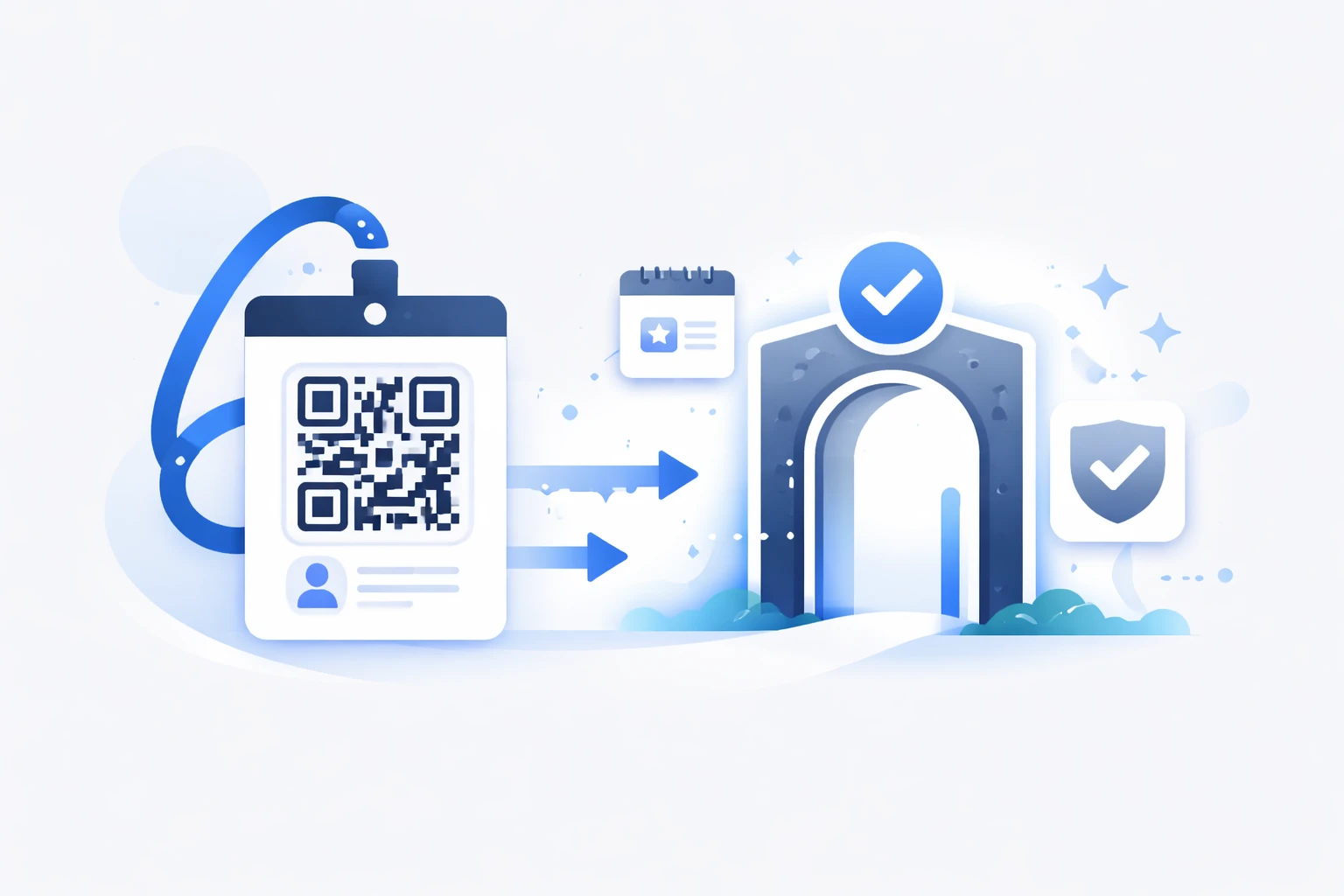
During access control, a scanner or smartphone scans the code, then the event system or ticketing software verifies the information and validates attendance.
The information can then be synchronized with your back-office or CRM for real-time attendance tracking, relying on your internal tools or integrations.
How does it actually work?
The participant receives their badge through your chosen channels (email, SMS, print) via your registration or ticketing tool.
Upon arrival, they present the QR code either physically or on a screen, which is scanned by a check-in application or a dedicated reader.
The reader automatically records its input in the event or access control system, allowing real-time tracking of each participant’s presence.
The organizer can finally consult the available information in their tools: number of entries, attendance rate, peak hours, complemented if necessary by the scan statistics provided by a dynamic QR generator like URLR.
The badge with QR code also integrates into hybrid environments: physical check-in, online sessions, access to digital content, or certificate issuance, with centralized management in the event platform and dynamic QR links for flexibility.
Key advantages of badges with QR codes
The QR code badge offers numerous benefits to streamline paths, enhance participant experience, and collect useful information about your events. Here are a few reasons that should convince you to use them 👇.
A time and efficiency gain
Each badge reading takes less than a second, significantly reducing wait times and input errors during access control.
With compatible tools like self-service kiosks or scanning applications from your event service provider, visitors can also check themselves in upon arrival.
The result: a smoother entry flow, more available welcome teams focusing on relationships, and greater audience satisfaction from the very first moments of the event.
A more modern image
Digitizing your badges also means taking care of your brand by eliminating plastic prints and reducing waste associated with physical materials.
You offer a “frictionless” experience where the badge can be displayed on a smartphone while maintaining a professional presentation.
QR codes can also link to tickets or passes compatible with Apple Wallet or Google Wallet, depending on the features of your event or ticketing solution.
A matter of security and reliability
Each QR code can be unique, and when it points to a short web address, it benefits from the security mechanisms of the chosen platform.
Professional solutions like URLR use secure short links (HTTPS and server-side managed redirects) to limit the risk of tampering and maintain control over the destination.
By combining a dynamic QR code with an access control tool, you can set your own validation rules (ticket status, access rights, schedules) directly within your event platform.
Instant tracking
Unlike traditional badges, QR code badges can generate actionable information about attendee traffic and engagement.
Depending on the tools you use, you can track entry numbers, participation rates, most popular sessions or content, and peak times.
The indicators provided by your event platform can be complemented by statistics from a service like URLR (clicks, devices, location, time slots) to refine your post-event reporting.
Flexibility of use
The QR code badge works well on paper, digital, or mobile formats, making it adaptable to all types of audiences.
A dynamic QR code can redirect to a different web address without being replaced, which is ideal in case of program changes, registration page updates, or shared resources.
How to create a QR code badge: essential steps
To make the most of a QR code badge, follow our tips for their creation.
Step 1 – Choose the right tool
If a free generator produces a limited static QR code, a professional solution like URLR QR Codes offers much more flexibility and control.
You benefit specifically from the creation of dynamic and customizable QR codes, the ability to change a web address at any time, and tracking of scans in a dedicated dashboard.
Step 2 – Import your participants
Participant information is typically managed within your event solution, your registration tool, or your CRM using list imports or automated feeds.
For each participant, you can generate a unique web address (registration page, personal space, ticket), then create a dynamic URLR QR code that points to this link to maintain control over the destination and scan statistics.
Step 3 – Customize the design
A badge should reflect your identity, and that involves a QR code that seamlessly integrates into your visual identity.
With URLR, you can:
- insert your logo at the center of the QR code,
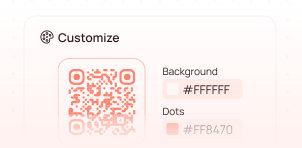
- apply your hexadecimal colors,
- adjust the contrast to ensure instant readability,
- export creations in high resolution (PNG, SVG, WebP).
Participants immediately perceive the quality of the support, which enhances the credibility and professionalism of your event.
Step 4 – Test your QR codes
Before the event, you should test your QR codes on multiple devices (iOS, Android, optical readers) and in different lighting conditions.
A comprehensive test allows you to verify proper redirection, loading speed, and the display of the correct content across all devices.
On URLR, you can view redirections with one click and correct the web address of an entire campaign without recreating badges, securing your final adjustments.
Step 5 – Distribute the badges
Badges can be distributed on paper for a tangible and visible rendering or in digital version for instant and eco-friendly sending.
In both cases, the dynamic QR codes generated via URLR automatically record the scans and provide you with real-time tracking of the scans.
You can then cross-reference these scan elements with attendance data from your event tool for a more complete view.
Customization and design: visual impact matters.
A well-designed QR code enhances your brand recognition and promotes scan rates on your printed or digital materials.
Beyond being a control tool, it becomes a graphic symbol that catches the eye and encourages action.
Optimal readability.
To ensure readability, it is recommended to use a minimum size of about 2 × 2 cm, or even 2.5 cm if the code contains a lot of information.
A strong contrast with a light background and dark patterns, as well as a white area around the QR code, greatly facilitates reading by devices.
Graphic integration.
With URLR, you customize QR codes to your colors with different styles suited to your brand image.
For example, you can choose a simple and square style with a discreet logo, an event style with bright colors and a frame, or a premium style with rounded patterns and gradients.
Call-to-action or not? We tested adding a clear call-to-action near the QR code to see its impact on the scan rate. Result: these few words can significantly increase the scan rate.
Advanced features for connected events.
A QR code badge takes on its full dimension when connected to your other tools (platform, CRM, forms, digital content).
Access control and real-time validation.
Each scan can be recorded by your tools (check-in app, ticketing system, CRM) to update the participant’s status.
URLR provides the redirection and tracking layer for readings, while status management and access validation are handled by your event platform or business application.
Print on demand
Your provider’s self-service kiosks or reception desks can print participants’ badges directly on site.
The QR codes used on these badges can be added via URLR, allowing you to maintain dynamic, editable, and tracked URLs, even for last-minute printing.
Smart networking
A badge can contain a QR code that links to a hosted vCard, a mini-profile page, or a contact page that you set up yourself.
URLR acts as a layer for short links and dynamic QR codes to these elements, with scan statistics to identify the most frequent interactions.
Lead collection and marketing follow-up
At a booth, each scan of a QR added with URLR can be considered a contact point to integrate into your marketing journeys.
The platform tracks readings (total number, devices, time distribution) and allows data export to align with your CRM or marketing automation.
Connections with tools like HubSpot, Pipedrive, or Mailchimp can be made via API, Zapier, Make, or your own scripts to turn these scans into qualified leads.
Automated integrations
The URLR QR codes point to the web addresses of your tools: Eventmaker or Eventbrite pages, registration pages, forms, or tracked content in Google Analytics.
Each scan becomes a measurable action in your analytics solutions, keeping a centralized layer of link and QR management in URLR.
How to analyze your performance?
Analyzing scans helps understand how participants interact with your materials and content throughout the event.
What data to collect?
You can track the timestamp of each reading, approximate location, type of device used, total and unique readings, as well as the page reached afterwards.
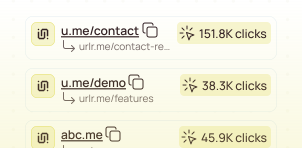
URLR aggregates this data into a clear dashboard to visualize the evolution of readings, distribution by device or geographic area, and identify peaks of activity around your campaigns.
How to interpret the results?
These elements allow for comparison between periods of high and low traffic and to identify the most effective channels.
You can also relate readings to conversions measured in your analytics or CRM tools to better estimate the ROI of your actions.
For example, a spike in readings from a QR code placed at the entrance of a conference might correlate with a commercial offer or specific communication.
Export and reporting
The data collected by URLR can be exported, for example in CSV or via the API, and combined with data from your analytics tools or event management platform.
This is ideal for providing a detailed report to your partners or sponsors on the traffic of your digital assets and the engagement generated.
Security and GDPR compliance
Data security and GDPR compliance are key elements when using QR codes in an event context.
Dynamic and secured QR codes
URLR QR codes rely on short web addresses secured by HTTPS encryption, which secures the transmission of the request between the user and the server.
No personal information is directly visible in the QR code; only the shortened URL is exposed, which limits the risk of data leaks in plain text.
The organizer retains control to deactivate a short URL, modify the destination in case of error, or adjust the usage duration of a QR code according to their internal processes.
Anti-fraud and integrity control
Anti-fraud features such as unique validation, duplicate refusal, or status control are managed within your ticketing or check-in system.
By relying on secure dynamic QR codes, you have a solid technical foundation to build your own access rules and integrity control.
GDPR Compliance
URLR emphasizes data hosting in France and a GDPR-compliant approach for tracking URLs and QR codes.
The commercial exploitation of data remains the responsibility of the organizer, who must ensure that they have the necessary consents in their registration, CRM, and marketing tools.
By combining dynamic QR codes with responsible data collection practices, you can provide a seamless experience while respecting your participants’ privacy.
Concrete use cases
QR code badges adapt to a wide variety of event formats, from B2B conferences to internal seminars. Here’s how it works 👇.
Conferences & congresses
Goal: ensure a smooth welcome, track sessions, and provide additional resources to participants.
Dynamic QR codes can be linked to the agenda, replays, feedback forms, and additional resources, with the possibility of updating links after the event.
Trade shows
Goal: collect leads and analyze marketing flows around booths and printed materials.
QR codes placed on booths, banners, or brochures, created with URLR, provide centralized statistics on scans that you can export to your CRM or marketing automation tools.
Festivals & concerts
Goal: facilitate access to practical information and post-event redirection.
QR codes link to programs, plans, or instructions, and can be redirected to a thank you page, offers, or your social media after the event.
Seminars & events
Objective: manage access to internal documents and resources smoothly and securely.
QR codes point to dynamic pages, digital questionnaires, or HR resources that can be easily modified without reprinting materials.
Training & workshops
Objective: simplify electronic attendance and access to educational materials.
QR codes link to online attendance sheets, questionnaires, or course materials hosted in your own tools.
Some best practices from our marketing experts
Some best practices help secure your QR code campaigns and maximize engagement.
- Test the codes on multiple devices and different reading angles.
- Avoid dark backgrounds or complex patterns behind the QR code.
- Train your receptionists on mobile scanning.
- Have an offline backup plan. You never know…
- Quickly leverage collected elements (reading peaks, effective channels, ROI).
Conclusion: simplify, secure, and measure with URLR
The badge with a QR code is much more than a check-in tool: it is the digital heart of your event, at the intersection of reception, information, and marketing.
It ensures fluidity, professionalism, and transparency by providing valuable follow-up for your marketing teams and partners.
With URLR, you have a solid foundation to create dynamic QR codes, customize them, track readings, secure your URLs, and integrate them into your event, CRM, and analytics tools.
This way, you turn each scan into a starting point for a smooth, connected, and measurable experience, without relying on a single ticketing or participant management tool.