

 Demo






They choose a sovereign QR Code solution with our platform




Why use a QR Code generator?
The QR Code has become an essential tool to connect the physical world to the digital. With a free online QR Code generator, you can create a scannable visual in seconds. It provides immediate access to your digital content (website, social media, PDFs, videos) without the need for address entry or searching. Simple, fast, and universal, it is an effective lever to enhance user experience, disseminate information, and boost your brand visibility.
What are the possible applications?
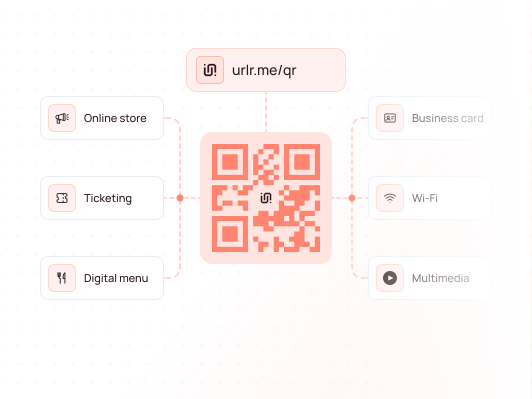
The uses of a QR Code are numerous and involve both individuals and businesses. In marketing, it allows redirection to an online store, a contact form, or a promotional campaign. In the event sector, it facilitates access to digital tickets. For restaurateurs, it advantageously replaces paper menus with an updatable digital version. Finally, QR codes can be used to share a business card (vCard), a Wi-Fi password, or a multimedia file. With a QR code generator, these applications can be set up without any special technical skills.
Static or dynamic: what’s the difference?
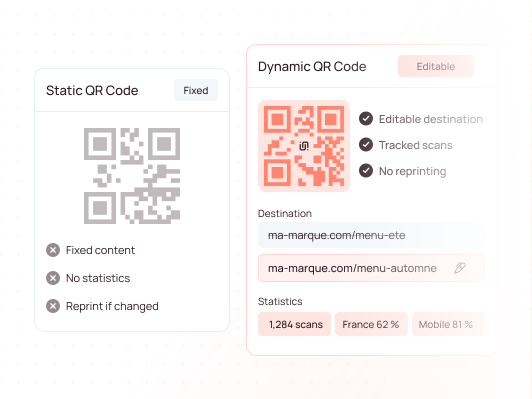
When talking about QR Codes, it’s essential to distinguish between two categories: static QR Codes and dynamic QR Codes. The first encodes information directly: once generated, its content cannot be modified. The second, on the other hand, redirects to a short and modifiable URL. This means you can change the destination (for example, a new product page or a marketing campaign) without having to reprint the code. Additionally, a dynamic QR code often allows access to usage statistics (number of scans, location, device used), making it a powerful tool for tracking and optimizing communication actions.
URLR in a few numbers is
Users
22K+
users across 6 countries in Europe
Redirections
11M+
redirections created with our platform
Visits
100M+
visits tracked and analyzed in our reporting
How to easily create a QR code?
With URLR’s free QR code generator, creation is done directly from a clear and intuitive interface. In just a few seconds, you can customize your code and download a ready-to-use visual. Here’s the step-by-step process:
1
Enter your URL
Input the address of your website, a product page, a form, or a video. The generator automatically encodes this link into a scannable QR Code.
2
Add your branding image
You can integrate your logo in the center of the code to enhance the visual identity of your materials. This customization option grabs attention while remaining functional.
3
Adjust size and margin options
Modify the size of your QR Code and set the space around the visual to ensure good readability, whether for digital use or paper printing.
4
Customize colors
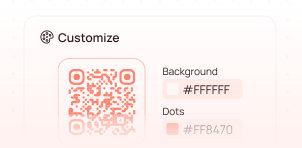
Adjust the background color and the color of the dots to create a QR code that seamlessly fits your branding. You can opt for a sleek design or, conversely, something more creative, depending on your needs.
5
Choose the shape of the dots
Make your QR Code unique by selecting the shape of the dots (rounded, square, extra rounded, dotted). This visual customization enhances originality without compromising scannability.
6
Download your QR Code
Once your settings are defined, download your QR code in PNG format for digital use or in PDF for high-quality printing. You immediately receive a file ready to integrate into your materials.
100% made in Europe
200% GDPR-compliant
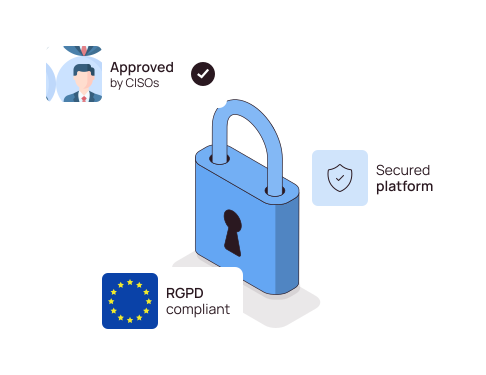
We develop and host our solution in France, we apply the GDPR beyond its requirements, and we document every commitment to make your audits easier. Our customers’ CIOs and DPOs trust URLR with complete confidence. You launch your campaigns with peace of mind.
What are the advanced features?
The URLR QR Code generator is not limited to just creating a scannable visual. With the Premium features, integrated directly into the URLR ecosystem, you open the door to more powerful functionalities for professional use.

Dynamic QR Codes and short links
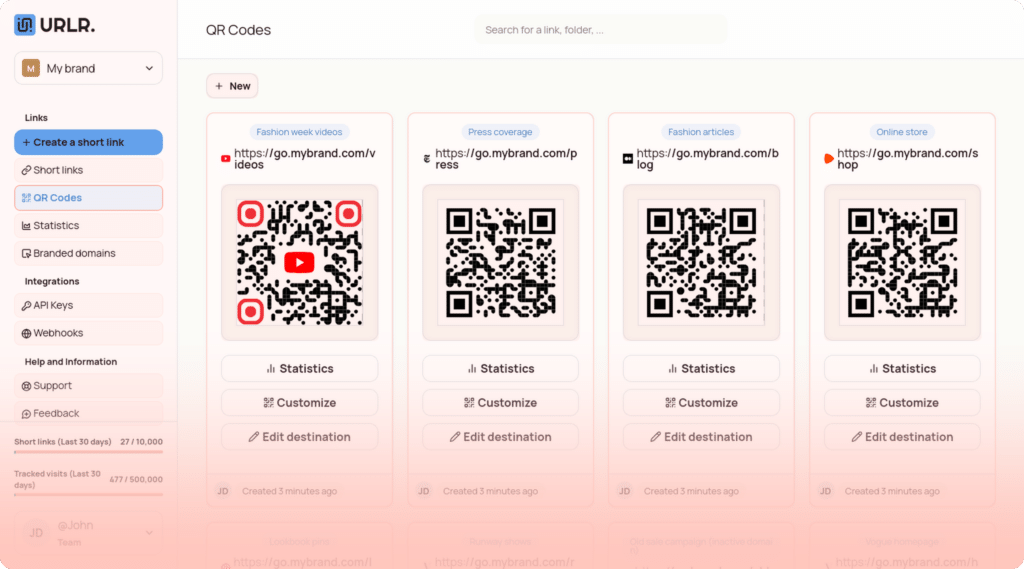
Each generated QR Code is linked to a short link created by URLR. This means you can change your QR code’s destination at any time without needing to reprint it. It’s the ideal solution for your marketing campaigns, printed materials, or A/B testing.
Scan statistics
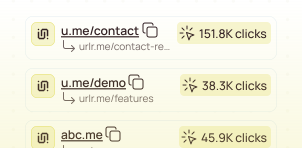
Thanks to integrated tracking, you can analyze the performance of your QR codes: number of scans, geographic areas, devices used… This data helps measure the effectiveness of your campaigns and optimize your communication efforts.


Advanced customization
In addition to the basic options (size, colors, shapes, logo), the premium version allows you to further integrate your brand image and access designs optimized for professional use (menus, flyers, packaging, posters).

Professional management and API
With a URLR account, you centralize your QR Codes, categorize them by project, and easily find them. For large-scale needs, a API is available to automate the generation and management of QR codes directly in your business tools.
What are the best practices to follow?
Creating a QR code is simple, but ensuring its effectiveness requires following a few essential rules. A poorly designed or improperly used code can harm the user experience and reduce the impact of your marketing efforts. Here are the best practices to follow to optimize your QR codes.
1
Test before distributing your QR Code
Before printing or publishing a QR code, take the time to test it on different smartphones and reading applications. Ensure that the redirection is fast, that the web address works, and that the content displays correctly. This simple step avoids many errors and guarantees a smooth experience for your users.
2
Keep a readable and scannable design
A QR Code must remain legible. Avoid too low contrasts between the background colors and those of the code. Ensure that the size is sufficient to be scanned at a reasonable distance, whether on a poster, flyer, or packaging. Visual simplicity is key for a quick and frictionless scan.
3
Choose an appropriate format and resolution
The quality of a QR code directly impacts its reliability. For printing, opt for high-definition formats like vector PDF, which maintains excellent resolution regardless of the medium. For digital use, PNG or JPEG suffices. Adapting the format to the distribution channel prevents pixelation problems and ensures a professional appearance.
Like the COVÉA Group, create your links and QR codes at scale
The COVÉA group and all its brands (MAAF, MMA, GMF) use URLR for their email and SMS loyalty and acquisition campaigns, as well as for their HR marketing.
All of the Group’s brands rely on URLR for their operational marketing campaigns: loyalty and acquisition emails and SMS, HR marketing, and sharing URLs for our Teams meetings.
As a platform administrator, I manage short links, QR codes and user management on a daily basis, and the solution proves reliable and easy to use.
A word about the team: very responsive and always attentive, much appreciated.
Vincent Lambart
Digital Project Manager, COVÉA Group

The questions you ask us most often
Find here the answers to frequently asked questions about our service. Do you still have questions? Contact our support team now.
Do I need to create an account to generate a QR Code?
No, you can generate a QR Code for free and without registration. However, creating a URLR account gives you access to advanced features: managing your QR codes, tracking statistics, and premium customization.
What is the difference between the free version and the premium version?
The free version allows you to generate and download a simple, functional QR Code. The premium version offers you the ability to add your logo, manage your QR Codes in a dedicated space, view detailed statistics, and access more advanced customization options.
Can I modify a QR Code that has already been printed?
Yes, if you use a dynamically generated QR Code. Since it is linked to a short URLR link, you can change the destination (target URL) even after printing. Your users will continue to scan the same QR Code, but they will be redirected to your new content.
What formats are available for download?
You can download your QR Codes in PNG for digital use (website, social media, email) or in PDF for high-quality printing on your marketing materials (flyers, posters, packaging).
Can I track the performance of my QR Codes?
Yes, if you use a dynamically generated QR Code. Since it is linked to a short URLR link, you can change the destination (target URL) even after printing. Your users will continue to scan the same QR Code, but they will be redirected to your new content.
What formats are available for download?
Yes, with a premium account, you gain access to detailed scan statistics: total number of scans, geographical origin, type of device used. This data helps you measure the impact of your campaigns and optimize your materials. You can download your QR Codes in PNG for digital use (website, social networks, email) or in PDF for high-quality printing on your marketing materials (flyers, posters, packaging).
Get started now
You have all the keys to generate an effective and personalized QR Code. Whether it’s to share a URL, enhance your marketing materials, or simplify access to your content, our online QR code generator is here to support you. Easy, fast, and accessible, it allows you to go from idea to execution in just a few seconds.
Don’t waste any more time: create, customize, and download your QR Code today, without complex registration or technical skills.
URLR also offers…
URLR is not just a QR code generator. The platform is primarily a professional URL shortener, developed and hosted in France 🇫🇷, that allows you to transform your long links into short links that are easy to share. You can track your campaign performance in real-time with advanced statistics: number of clicks, geographical origin, devices used. For businesses, URLR also offers premium features such as domain customization (branded links), integration via API, team collaborative management, and the creation of dynamic QR Codes linked to your web shortcuts. The solution easily integrates with your existing tools (Zapier, Chrome, Firefox) and meets the needs for tracking, optimization, and centralized management of your links. In summary, URLR is an all-in-one tool to generate, share, and analyze your URLs and QR Codes with ease.